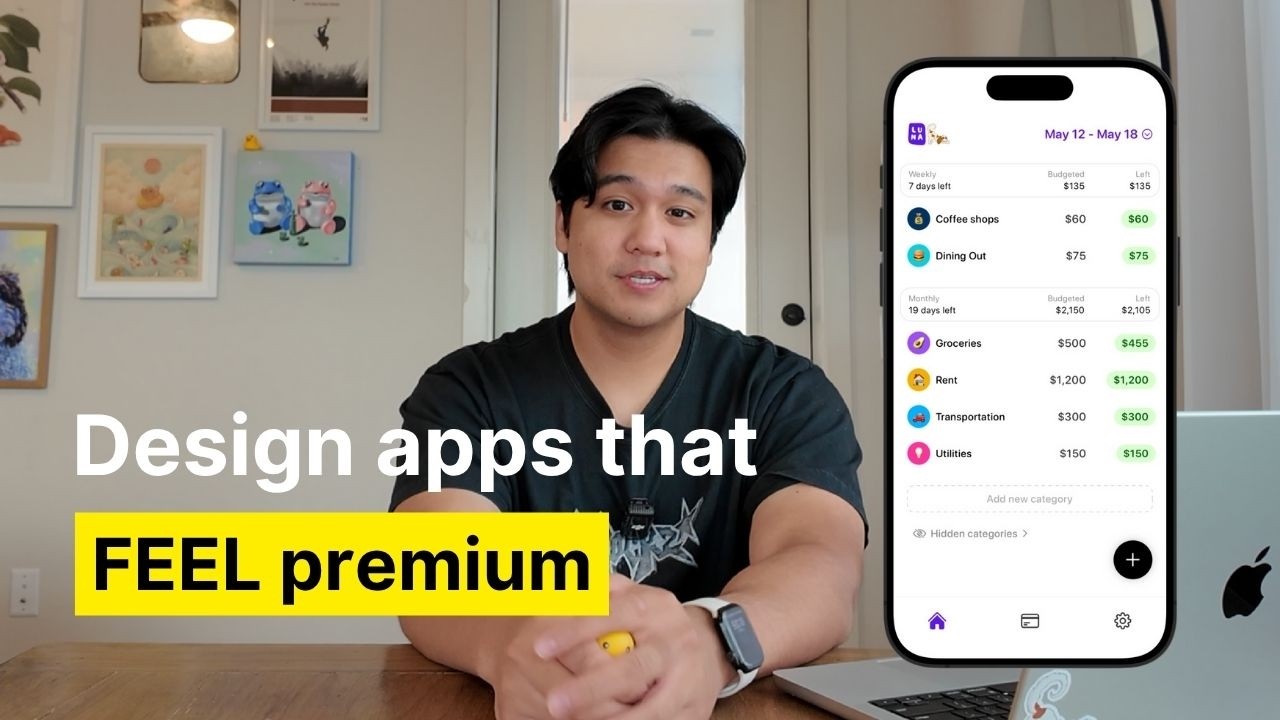
Chris Raroque thumbnail

📝 Chris Raroque Blog

How to Make Your iOS App Feel 10x Better: Advanced Design Tips from a Productivity App Developer

If you’ve ever wondered how some apps feel more polished, fun, and engaging than the standard iOS experience, you’re not alone. Chris, a productivity app developer, recently shared some advanced techniques he uses to make his apps stand out and feel significantly better than default Apple apps. Whether you’re an app developer or designer, these practical tips can help you elevate your app’s user experience and design quality.


1. Add Interactions & Animations to Bring Your App to Life

Most default iOS apps are quite static — when you tap a tab, the new screen just appears instantly without animation. While Apple likely does this for performance, accessibility, or motion sickness reasons, adding subtle animations can add a lot of dimension and polish.

Chris gives the example of his budgeting app, Luna, where switching between tabs involves a smooth sliding animation, instead of an instant switch. Another highlight is a custom animation in his app Ellie, where the send button morphs into a checkmark, a background expands from a microphone, and text fades with spring animations during dictation. These layered animations create a satisfying experience that feels premium.

Pro Tip: Don’t try to create complex animations in one go. Break them down into smaller components and build step-by-step. Tools like Claude Code can help generate code from plain English prompts, especially if you specify each sub-animation clearly.


2. Use Custom Illustrations to Add Personality, Especially in Empty States

Empty states are often overlooked, typically showing just plain text like “No tasks for today.” Chris suggests going further by integrating custom illustrations or animations to bring these moments to life.

For example, his meeting assistant app Lily uses a ghost mascot named Lily. Using AI tools like ChatGPT, he generates unique variations of this mascot to reflect different app states (searching, taking notes, drinking coffee, etc.). This adds character and makes the app feel original and fun.

Recommendation: Start by commissioning a base mascot or illustration from an artist—Chris had his girlfriend create his base character—and then use AI to generate variations. If commissioning isn’t an option, experiment with AI-generated illustrations using rich prompts and reference images.

For even more engagement, consider animating these illustrations using tools like Rive to add an extra layer of delight.


3. Incorporate Haptic Feedback for Physical Interaction

Haptic feedback adds subtle vibrations when users interact with your app, providing physical confirmation of their actions. This small detail significantly enhances the tactile feel and makes tapping buttons more enjoyable.

Interestingly, Apple’s own apps rarely use haptics extensively, probably for battery or accessibility reasons. But for most apps, well-placed haptic feedback can be a game-changer.

Chris’s budgeting app Luna uses varying intensities of haptic feedback: lighter vibrations for frequent actions like entering transactions, and stronger feedback for more significant interactions like switching tabs. This nuanced approach prevents annoyance and makes the app feel more satisfying to use.


4. Choose and Use Icons Thoughtfully to Maintain Consistency and Style

Icons are often underestimated but can make or break the visual cohesion of your app. While many iOS apps rely on Apple’s default SF Symbols, these tend to feel generic.

Chris recommends exploring icon packs like Hero Icons, which offer clean, minimal, and free icons. The key is selecting the right style to match your app’s aesthetic—thin, filled, or complex—and maintaining consistency throughout the app.

For example, Luna uses the thin version of Hero Icons for a minimal look. Switching to heavier icons drastically changes the feel and can make the app look less polished if mixed inconsistently. Chris also uses icon style variation cleverly to indicate active vs. inactive states—thin icons for inactive tabs, and heavier filled icons for the selected tab—to add subtle depth beyond just color changes.


5. Continuously Elevate Your Design Taste Through Exposure and Inspiration

One of the biggest questions Chris gets is how to develop better design instincts. His advice is simple but powerful: surround yourself with great design constantly.

Two recommended resources are:

  • Twitter: Follow talented designers to see their work regularly, bookmark inspiring designs, and learn from the community.
  • Mobbin: A website with thousands of app screenshots that showcase how top apps handle layouts, tab bars, icons, and more. Browsing Mobbin regularly helps you internalize good design patterns and discover what resonates with you.

Chris uses Mobbin both for casual inspiration and to research specific UI questions, like icon styles for tab bars. Even just a few minutes a day or once a week can dramatically improve your design sense over time.


Final Thoughts

Making your app feel better than default iOS apps is not about one big feature—it’s about many small thoughtful details working together. By incorporating smooth animations, custom illustrations, nuanced haptics, well-chosen icons, and constantly refining your design taste, you can create an app experience that feels polished, fun, and truly your own.

If Chris can make a finance app enjoyable to use, so can you!


Want to Learn More?

Chris has a video covering his general design process including mood boarding and wireframing—perfect for those starting out. You can also follow him on Instagram and TikTok for regular insights into productivity app development.


Ready to make your app feel 10x better? Start experimenting with these tips today and watch your app’s user experience transform!