[00:00] (0.08s)
So, I spent the last two weeks building
[00:01] (1.60s)
hundreds of different AI agent
[00:03] (3.12s)
workflows, mostly using OpenClaw, but I
[00:05] (5.68s)
also use Manisclaw Code and even
[00:07] (7.68s)
Perplexity Computer, which just came
[00:09] (9.36s)
out. And my biggest realization through
[00:11] (11.84s)
this process, companies are going to
[00:13] (13.84s)
have very narrow AI agents that operate
[00:17] (17.20s)
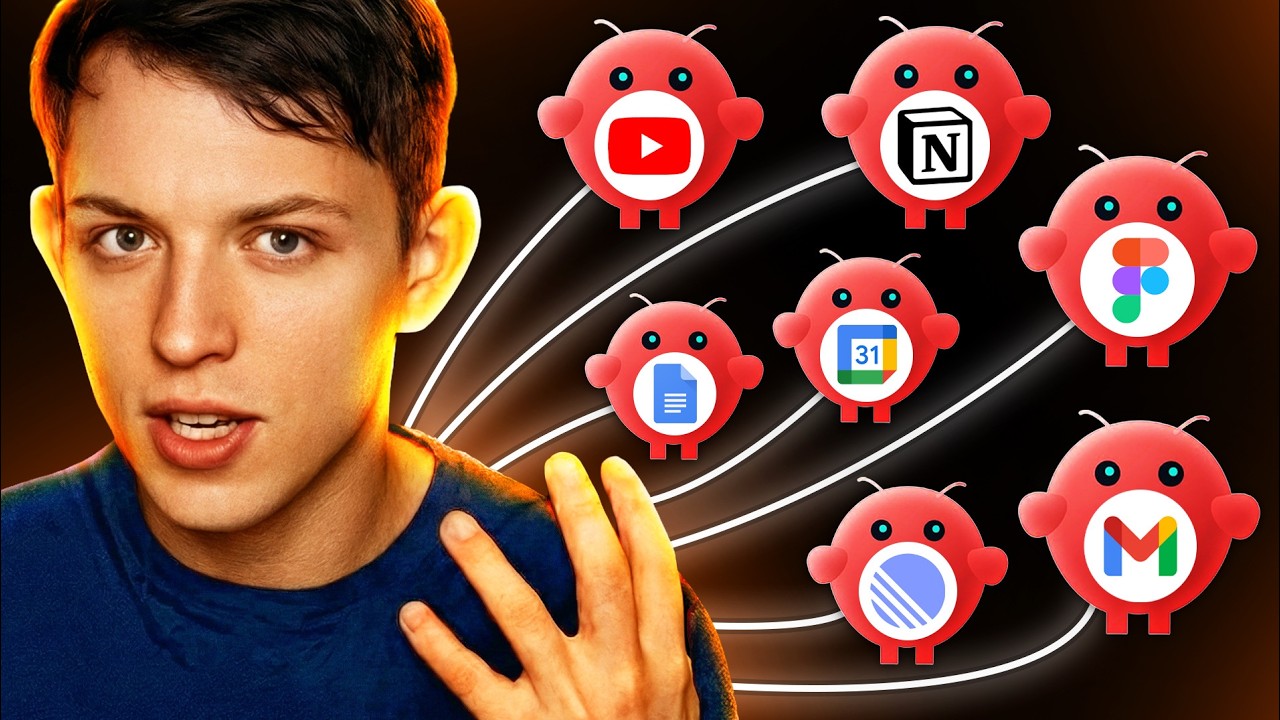
in a team. And my current plan is to
[00:19] (19.68s)
build 15 highquality AI agents that run
[00:23] (23.20s)
our entire growth division here at
[00:26] (26.40s)
vibco.dev. And so I want to take some
[00:29] (29.44s)
time in this video to explain why I
[00:31] (31.84s)
believe that narrow agents are the
[00:34] (34.00s)
future and we'll also kind of talk about
[00:36] (36.40s)
why I'll be using OpenClaw for this
[00:39] (39.20s)
project. And so let's just dive into the
[00:41] (41.60s)
video. Over the past two weeks, we
[00:43] (43.12s)
tested many different agents and the
[00:45] (45.44s)
main four that we tested were OpenClaw,
[00:48] (48.32s)
we tested Manis, we tested Clawed Code,
[00:51] (51.60s)
and we tested Perplexity Computer. And
[00:54] (54.40s)
so perplexity computer is actually
[00:57] (57.04s)
really interesting. You see here you can
[00:58] (58.80s)
actually switch from search to computer.
[01:02] (62.00s)
And the way perplexity computer works I
[01:04] (64.64s)
can say please make an app. This right
[01:08] (68.16s)
here is a single task. I can give an AI
[01:11] (71.68s)
agent and just like chatbt it will start
[01:14] (74.08s)
to work except this AI agent will get a
[01:17] (77.68s)
sandbox which is just a computer that's
[01:20] (80.24s)
running in the cloud and it can actually
[01:22] (82.80s)
create files. You can see here that
[01:25] (85.52s)
whatever it creates can open up in this
[01:28] (88.00s)
side panel right here. So it's like chat
[01:30] (90.24s)
GPT with a computer which is exactly
[01:33] (93.52s)
like Manis and Manis has been around a
[01:36] (96.00s)
lot longer than Perplexity Computer and
[01:37] (97.84s)
it operates the same way. Manis was the
[01:40] (100.48s)
first kind of general agent tool that
[01:43] (103.36s)
was released that had every single task
[01:45] (105.84s)
that you put in has access to a
[01:47] (107.68s)
computer. And as you can see here, you
[01:49] (109.20s)
can see view Manis's computer. And so we
[01:51] (111.92s)
can view this over here. And so you can
[01:54] (114.40s)
see that this AI agent comes with a
[01:56] (116.80s)
computer. It can create files. It can
[01:58] (118.96s)
edit files. And it can do many different
[02:01] (121.12s)
things that you would do on a computer.
[02:03] (123.52s)
And so that's how Manis and Perplexity
[02:05] (125.44s)
Computer work. You enter a task, it
[02:07] (127.60s)
spins up a computer and depending on how
[02:10] (130.32s)
you prompt that task, different things
[02:12] (132.48s)
will happen on that computer. It can
[02:14] (134.08s)
create different things. It can do a
[02:15] (135.52s)
whole host of things. And so if you run
[02:17] (137.60s)
five tasks, each one comes with its own
[02:20] (140.16s)
little computer. And so this can be seen
[02:22] (142.96s)
of more as like a command center, right?
[02:25] (145.92s)
This is a command center for agents that
[02:30] (150.32s)
have access to a computer. And this is
[02:34] (154.32s)
cool for certain things, but it's
[02:36] (156.40s)
actually not what we want. I don't
[02:39] (159.60s)
believe this is going to be the most
[02:41] (161.60s)
useful form of AI agents. I think the
[02:44] (164.64s)
most useful type of AI agent will be
[02:47] (167.04s)
something exactly like OpenClaw.
[02:49] (169.84s)
Openclaw is an AI agent that runs on one
[02:52] (172.88s)
computer. And you can see that uh Mac
[02:55] (175.44s)
minis are literally sold out right now.
[02:57] (177.68s)
It's really hard to get a Mac Mini or a
[02:59] (179.52s)
Mac Studio because so many people are
[03:02] (182.00s)
running an AI agent, OpenClaw, on these
[03:05] (185.12s)
computers. And so basically what
[03:07] (187.36s)
OpenClaw did is they basically put an AI
[03:09] (189.92s)
agent on a computer and then they gave
[03:12] (192.40s)
it really good memory. They gave it
[03:15] (195.52s)
really structured skills that you could
[03:17] (197.44s)
very easily add. And then they also
[03:19] (199.92s)
added a gateway. And this gateway
[03:22] (202.88s)
allowed you to chat with OpenClaw from
[03:26] (206.48s)
different applications. You could do it
[03:28] (208.64s)
on Telegram. You could do it on
[03:30] (210.96s)
WhatsApp. You could message it on
[03:33] (213.20s)
Discord, on Slack. And this is why
[03:36] (216.80s)
OpenClaw went really viral. It gave an
[03:39] (219.52s)
AI agent a computer and then made it
[03:42] (222.56s)
accessible in all of the tools that you
[03:45] (225.04s)
already communicate with other people.
[03:46] (226.80s)
And so the first openclaw AI agent that
[03:49] (229.52s)
I created had many skills. So I added
[03:53] (233.52s)
and so this is an overview of the most
[03:56] (236.16s)
useful skills that I gave my first AI
[03:58] (238.64s)
agent. Um my favorite skill was this
[04:01] (241.20s)
social media transcript analyzer using
[04:03] (243.52s)
an API called Supera Data. If you guys
[04:06] (246.16s)
want to look it up and use it, it allows
[04:07] (247.68s)
you to turn any YouTube link, uh,
[04:10] (250.24s)
Twitter link, Instagram link, or uh, Tik
[04:14] (254.16s)
Tok link into a a transcript. So, you
[04:16] (256.96s)
could very easily analyze social media.
[04:19] (259.12s)
I added this. And then I added the
[04:21] (261.60s)
ability for it to control my notion. And
[04:24] (264.00s)
then I added the ability to control all
[04:27] (267.68s)
of my Google workspace. So, my calendar,
[04:30] (270.64s)
my email, Google Docs, Google Sheets,
[04:33] (273.36s)
etc. And then I gave it access to our
[04:35] (275.36s)
linear so I could take a look and see
[04:37] (277.60s)
where are we at with the product. Uh
[04:40] (280.00s)
what's launching soon, things like that.
[04:42] (282.56s)
I gave it access to Figma. It could
[04:44] (284.40s)
literally control Figma on my computer.
[04:46] (286.72s)
It could generate any type of media
[04:48] (288.48s)
using FAL. It could even edit videos,
[04:50] (290.80s)
which was my previous video. And what I
[04:53] (293.12s)
realized over time is that the more
[04:55] (295.20s)
skills that I added, right, as the
[04:57] (297.28s)
amount of skills increased, the
[05:01] (301.12s)
dependability of the AI agent decreased.
[05:05] (305.04s)
And so that's when I realized, okay,
[05:06] (306.56s)
well, you can't really add unlimited
[05:08] (308.56s)
skills. It stops being super useful. It
[05:10] (310.88s)
doesn't use the skills at the right
[05:12] (312.24s)
time. Uh the context gets super clouded
[05:15] (315.28s)
and it doesn't use the right
[05:16] (316.56s)
integrations and the personalities ended
[05:19] (319.36s)
up getting jumbled. And so that's the
[05:21] (321.60s)
conclusion that I came to, right? We
[05:24] (324.08s)
need to create a team of AI agents that
[05:27] (327.92s)
have, I would say, 7 to 10 skills each
[05:32] (332.72s)
instead of building out AI agents that
[05:34] (334.80s)
have 30 skills. This is the sweet spot.
[05:37] (337.92s)
As you go above this, the AI agent stops
[05:40] (340.64s)
performing super well. And so that's one
[05:42] (342.72s)
of the main reasons why I think Manis
[05:44] (344.72s)
has a lot of potential. It's just not my
[05:46] (346.72s)
tool of choice. Because when you hit use
[05:49] (349.04s)
skills, you can go to the manage skills
[05:51] (351.12s)
and you can kind of see all of their
[05:52] (352.72s)
official skills. And so they have all of
[05:54] (354.64s)
these different types of skills that you
[05:57] (357.20s)
can add, but you're not adding it to a
[05:59] (359.52s)
specific agent. Rather, you're adding it
[06:02] (362.24s)
you're adding it to your command center,
[06:04] (364.88s)
which means everything is proactive. You
[06:07] (367.20s)
have to go to your command center and
[06:08] (368.72s)
then ask it to do it. People simply want
[06:11] (371.84s)
an employee that gets things done. And
[06:15] (375.28s)
if you think about a really good
[06:16] (376.72s)
employee, you think like the employee
[06:18] (378.64s)
will actually just like do things that
[06:21] (381.52s)
surprise you. A good employee will make
[06:25] (385.20s)
suggestions that are useful. And I
[06:28] (388.08s)
believe that in order to do these three
[06:30] (390.40s)
things like get things done, do things
[06:32] (392.08s)
that surprise you, and make suggestions
[06:33] (393.84s)
that are useful, you need to have
[06:36] (396.88s)
specific goals or you need to give AI
[06:41] (401.04s)
agents intent. And I actually got this
[06:43] (403.60s)
from on Twitter. EMTT Shear. He was the
[06:46] (406.24s)
interim CEO of OpenAI when Sam Alman
[06:48] (408.88s)
almost got fired, but he tweeted,
[06:50] (410.32s)
"Prompts are so late 2025. We are giving
[06:54] (414.00s)
models intents now." And I think I I
[06:58] (418.16s)
would say like we are giving AI agents
[06:59] (419.92s)
with computers intents. And the
[07:03] (423.36s)
definition of intent is intention or
[07:06] (426.08s)
purpose, right? We are giving these
[07:08] (428.08s)
agents purpose. And I believe that if
[07:11] (431.28s)
you're going to go through this
[07:12] (432.56s)
paradigm, it's really hard to give these
[07:14] (434.96s)
agents purpose because they're so
[07:16] (436.56s)
general. They have so many different
[07:17] (437.84s)
skills. It's super proactive. Uh and so
[07:20] (440.96s)
that's why I don't really like
[07:22] (442.24s)
perplexity computer and manis. And so
[07:24] (444.72s)
that's why I want to create a team of
[07:27] (447.28s)
narrow openclaw agents with very
[07:29] (449.76s)
specific goals and skills. And I'll
[07:32] (452.56s)
explain a little bit more about why I
[07:35] (455.04s)
want to do this. And so when we were
[07:37] (457.04s)
testing these AI agents and I have a
[07:39] (459.36s)
bunch of these AI agents running. This
[07:41] (461.12s)
is my journal bot. And uh I have these
[07:43] (463.84s)
agents running in Telegram right now.
[07:46] (466.08s)
And after testing them for two weeks, I
[07:48] (468.80s)
realized that this is the way this whole
[07:50] (470.72s)
space is going. A focused agent with a
[07:52] (472.96s)
specific personality with specific tasks
[07:56] (476.08s)
and a a specific heartbeat. And what I
[07:59] (479.60s)
realized is that all of these things are
[08:02] (482.00s)
better when they're focused, right? when
[08:03] (483.84s)
there when you have a team of AI agents
[08:05] (485.76s)
or a team of agents running on a
[08:07] (487.60s)
computer that are confined right to a
[08:11] (491.28s)
more narrow focus everything performs
[08:13] (493.76s)
better which allows you to focus your
[08:16] (496.24s)
skills and integrations on what will be
[08:19] (499.28s)
useful to reach a specific goal let me
[08:22] (502.32s)
give you an example so my favorite agent
[08:24] (504.48s)
that I'm using right now that I message
[08:26] (506.16s)
in Telegram is this content bot which is
[08:29] (509.76s)
specific for creating YouTube videos.
[08:33] (513.44s)
This is my YouTube agent. So, this
[08:36] (516.08s)
focused agent is my YouTube AI agent.
[08:40] (520.24s)
And the only thing that this agent is
[08:42] (522.24s)
focused on is creating YouTube videos.
[08:45] (525.92s)
And it has three goals in its files. It
[08:49] (529.52s)
knows exactly what goals it's optimizing
[08:52] (532.24s)
for, which are subs, views, and
[08:54] (534.88s)
conversions. And I'm not to say that
[08:56] (536.72s)
everything that I do on YouTube will uh
[08:58] (538.88s)
is optimized for these three things. But
[09:01] (541.36s)
whenever I ask it to create a script,
[09:03] (543.68s)
for example, it knows that I want to
[09:05] (545.68s)
increase the amount of subs, increase
[09:07] (547.60s)
the views, and increase conversions. The
[09:10] (550.40s)
main reason really narrow goals are
[09:12] (552.96s)
super useful is that it allows you to
[09:15] (555.36s)
create hyperspecific skills that can be
[09:19] (559.20s)
verified whether you should add them. If
[09:21] (561.12s)
your skill does not have anything to do
[09:24] (564.00s)
with your with your goals of your AI
[09:26] (566.48s)
agents, you shouldn't add them. So, it
[09:28] (568.32s)
makes it super easy to add skills. For
[09:30] (570.32s)
example, the main skill that I use for
[09:32] (572.08s)
this YouTube AI agent is YouTube
[09:34] (574.48s)
research. And then this allows me to
[09:36] (576.24s)
think about, okay, what integrations are
[09:38] (578.56s)
useful for this YouTube research skill?
[09:41] (581.44s)
And so, I use two for this. I use the
[09:43] (583.44s)
SER API skill uh integration and I also
[09:46] (586.48s)
use the super data API. This one allows
[09:49] (589.20s)
you to scrape transcripts. This one
[09:50] (590.80s)
allows you to like search through
[09:52] (592.40s)
YouTube. It's really useful. Skill
[09:54] (594.96s)
number two is thumbnail generator,
[09:57] (597.52s)
right? I generate thumbnails and I even
[10:00] (600.00s)
have my AI agent every single morning
[10:02] (602.88s)
scrape my competitor's thumbnails and
[10:05] (605.12s)
then it comes up with ideas uh and kind
[10:07] (607.52s)
of modifications of their videos with my
[10:09] (609.84s)
face. And so for this we need access to
[10:12] (612.64s)
Nano Banana. And for this skill
[10:15] (615.28s)
specifically, it it has some relevant
[10:17] (617.68s)
context that it needs, which is uh
[10:19] (619.92s)
photos of Riley, right? It needs my
[10:23] (623.04s)
photos in order to create an image of
[10:25] (625.44s)
me. So that's just some useful context
[10:27] (627.44s)
that we need to give it. And number
[10:29] (629.44s)
three is it needs to be able to uh
[10:32] (632.80s)
control my notion, which is where I keep
[10:35] (635.84s)
all of my scripts for my YouTube videos.
[10:39] (639.28s)
And um for this, we actually just need
[10:41] (641.52s)
the notion integration. And so you can
[10:43] (643.84s)
see here that it's kind of this direct
[10:46] (646.08s)
path, right? Your YouTube agent is in
[10:48] (648.40s)
charge of optimizing for YouTube subs.
[10:51] (651.28s)
Uh it wants to increase the amount of
[10:53] (653.04s)
views you get and it increases the
[10:55] (655.76s)
amount of conversions you get from your
[10:57] (657.52s)
video. That is what my agent is
[10:59] (659.20s)
optimizing for. And now when I go to my
[11:01] (661.36s)
agent and say, "What skills do you
[11:03] (663.04s)
need?" It knows exactly where we're
[11:05] (665.92s)
going. Right? This is a path. And if
[11:08] (668.56s)
you've spent any time hiring people, the
[11:11] (671.28s)
most annoying people to hire are people
[11:13] (673.20s)
with vague skills. They don't have
[11:15] (675.12s)
specific goals. They're good at talking,
[11:17] (677.36s)
but they're they're not good at driving
[11:19] (679.20s)
towards a specific goal. They're good at
[11:20] (680.72s)
distracting from the goal. The best
[11:22] (682.48s)
employees to hire are people who are
[11:24] (684.24s)
like, "Yep, I'm really good at certain
[11:26] (686.40s)
things, and I can help your company
[11:28] (688.64s)
reach these goals, which will ultimately
[11:30] (690.80s)
help your company." It's very simple.
[11:33] (693.12s)
And this YouTube agent is just one of
[11:35] (695.92s)
the agents that I use. And so the
[11:38] (698.48s)
question now becomes why narrow agents.
[11:42] (702.32s)
The first reason why is when we find a
[11:45] (705.36s)
super useful agent, it's very easy to
[11:47] (707.60s)
duplicate, right? You can remix it for
[11:50] (710.08s)
something else. It could be relatively
[11:52] (712.48s)
simple to turn a YouTube agent into a
[11:54] (714.88s)
Tik Tok agent, right? We could create a
[11:56] (716.40s)
Tik Tok agent that's only focused on Tik
[11:58] (718.40s)
Tok. We could create one that's only
[12:00] (720.16s)
focused on Substack, for example. And
[12:02] (722.88s)
when you create these smaller agents,
[12:04] (724.56s)
it's easier to duplicate. And you know,
[12:07] (727.28s)
when you try and create a massive agent
[12:09] (729.20s)
that has like 50 skills, it's just hard
[12:11] (731.84s)
to extract just the the portion uh that
[12:15] (735.68s)
you want to duplicate out of it, right?
[12:17] (737.92s)
And so I can very easily duplicate my my
[12:21] (741.12s)
single um narrow focus agents.
[12:23] (743.84s)
Additionally, um this makes it super
[12:26] (746.48s)
easy to share with your team. So, for
[12:29] (749.36s)
example, today I built a journal agent.
[12:32] (752.96s)
My journal agent is lives in Telegram.
[12:35] (755.52s)
And this agent is a little bit more
[12:38] (758.08s)
hands-on. And so, basically what it does
[12:39] (759.76s)
is it reaches out to me every 30
[12:42] (762.40s)
minutes. Sometimes it doesn't reach out
[12:44] (764.16s)
if nothing needs to be done. And it
[12:46] (766.08s)
analyzes everything that I do, every
[12:47] (767.60s)
meeting, every video that I make,
[12:49] (769.52s)
everything. And if it wants more
[12:50] (770.96s)
context, it'll ask me every single day.
[12:53] (773.20s)
It'll write multiple journal entries
[12:55] (775.44s)
logging everything that's useful. um and
[12:58] (778.88s)
everything that it needs to know about
[13:00] (780.56s)
me just so I can create this like
[13:02] (782.16s)
running log of all of the important
[13:04] (784.00s)
information that's important to business
[13:05] (785.84s)
and content. And the purpose of this
[13:07] (787.76s)
agent is that it informs all of the
[13:10] (790.48s)
other agents, right? So this journal
[13:12] (792.40s)
agent has access to notion. Every single
[13:14] (794.72s)
agent that we have has access to notion
[13:16] (796.80s)
and all of these other agents are aware
[13:19] (799.36s)
of the journal that the journal agent
[13:22] (802.48s)
creates. So, my email newsletter every
[13:24] (804.80s)
day is just going to read my journal
[13:27] (807.20s)
agents journal and it's going to come up
[13:29] (809.60s)
with ideas for email newsletters. So, in
[13:31] (811.68s)
my journal agent, it'll know when
[13:33] (813.04s)
there's product updates. And then my
[13:35] (815.28s)
email newsletter agent will be like,
[13:37] (817.52s)
we'll just draft up an email newsletter
[13:39] (819.68s)
that needs to go out to our email list,
[13:41] (821.52s)
which is 300,000 people. And in this
[13:44] (824.56s)
email newsletter agent, uh it has very
[13:46] (826.96s)
specific goals, right? This newsletter
[13:48] (828.64s)
agent has very specific goals which is
[13:50] (830.56s)
optimize the amount of conversions from
[13:52] (832.96s)
our email newsletter, right? And and to
[13:55] (835.12s)
maximize click-through rate, uh to op uh
[13:57] (837.84s)
open rate, things like that. Um and it
[14:00] (840.72s)
doesn't have to be clouded by any of the
[14:02] (842.80s)
journal agents goals. It just has access
[14:05] (845.20s)
to the journal that the journal agent
[14:06] (846.88s)
creates. And so anyway, this is a really
[14:08] (848.96s)
useful agent that I created and I want
[14:11] (851.60s)
to help an my co-founder create more
[14:13] (853.68s)
content. And so now because I made a
[14:16] (856.24s)
really narrow journal agent, I actually
[14:18] (858.08s)
just shared with him my entire open claw
[14:21] (861.04s)
agent and he was able to duplicate it in
[14:23] (863.84s)
about five minutes. And so it was really
[14:26] (866.08s)
sharable. So when you create a really
[14:27] (867.60s)
narrow agent that's super useful, it's
[14:29] (869.60s)
very easy to duplicate it and share it
[14:31] (871.68s)
with other people. And it also makes it
[14:33] (873.84s)
just more understandable. Right? This
[14:36] (876.32s)
openclaw agent runs on a computer. In
[14:39] (879.28s)
the computer, it has access to files,
[14:41] (881.44s)
right? like this computer. Every time
[14:43] (883.36s)
you use OpenClaw, you are basically
[14:45] (885.52s)
editing files, right? All of these
[14:47] (887.36s)
skills are just markdown files stored in
[14:50] (890.48s)
the OpenClaw folder. If your focused AI
[14:53] (893.52s)
agent only has a few skills and and a
[14:56] (896.08s)
handful of integrations, it's a lot
[14:57] (897.60s)
easier to understand when you send them
[14:59] (899.12s)
to other people. And then finally,
[15:01] (901.20s)
right, this one's pretty intuitive,
[15:02] (902.80s)
right? If you have a narrow set of of
[15:05] (905.68s)
goals, right, goals, right? You want to
[15:07] (907.76s)
hit specific KPIs. In the case of the
[15:09] (909.84s)
newsletter, it would be like open rate,
[15:12] (912.64s)
uh, subscriptions, right? You want
[15:14] (914.00s)
people to subscribe, and ultimately like
[15:16] (916.32s)
click-through rate, and like if you just
[15:18] (918.00s)
had like a newsletter business, it would
[15:19] (919.60s)
be like, you know, you could have
[15:21] (921.44s)
revenue. When you have very narrow
[15:24] (924.16s)
goals, it's very re reviewable. You can
[15:26] (926.48s)
look at that agent and be like, "Yep,
[15:27] (927.84s)
you did a good job." Or, "No, you did a
[15:29] (929.68s)
bad job." You know exactly where it
[15:32] (932.00s)
needs to change. You It's It's It's pass
[15:34] (934.24s)
fail. When your AI agents are pass fail,
[15:36] (936.72s)
it's a lot easier to just cut them,
[15:38] (938.40s)
right? the a lot of AI agents that you
[15:40] (940.32s)
create over the next few years are not
[15:41] (941.92s)
going to be worthwhile. And the more
[15:43] (943.36s)
narrow they are, uh, the easier it is to
[15:45] (945.60s)
say, "Yep, you did good," or, "No, you
[15:47] (947.04s)
did bad." So, get rid of it. And then
[15:48] (948.56s)
the final two reasons you want to do a
[15:50] (950.80s)
narrow focus is you can create easier
[15:53] (953.28s)
loops, which allows them to be more
[15:55] (955.28s)
autonomous. I have multiple narrow
[15:57] (957.84s)
agents that are very simple loops,
[16:00] (960.32s)
right? It only has a set of three tasks
[16:02] (962.32s)
that it does every single day. It knows
[16:04] (964.56s)
what it's optimizing for and it can just
[16:06] (966.88s)
go in those simple loops over and over
[16:09] (969.04s)
and over again because tasks are just
[16:11] (971.36s)
are called cron jobs which are triggered
[16:14] (974.00s)
at specific times during the day. And
[16:16] (976.08s)
the more narrow your agent, the easier
[16:17] (977.68s)
it is to get in a predictable loop and
[16:19] (979.60s)
you can just let it run. If you have a
[16:21] (981.84s)
super mega agent that's super massive,
[16:23] (983.92s)
it's harder to do this. So, I think you
[16:25] (985.44s)
understand my objective here. I want to
[16:27] (987.68s)
create very narrow AI agents with very
[16:31] (991.12s)
specific goals and I want them to
[16:33] (993.28s)
operate in a team. Right? This could be
[16:35] (995.52s)
my team. It's hard to say exactly which
[16:37] (997.68s)
agents I'll be adding. Right? As I do
[16:39] (999.84s)
more workflows, I'll notice where we
[16:42] (1002.08s)
need to create a new agent. But the one
[16:43] (1003.84s)
thing that I think that Perplexity and
[16:46] (1006.16s)
Manis got right is they're actually
[16:48] (1008.56s)
using a computer in the cloud. They spin
[16:51] (1011.44s)
up a computer per task. Right? when you
[16:54] (1014.40s)
type in a task, they spin up a computer
[16:56] (1016.08s)
and that agent can use the computer. I
[16:58] (1018.48s)
actually don't think that's going to be
[16:59] (1019.52s)
the paradigm. I think it's going to be
[17:01] (1021.36s)
OpenClaw running in a computer in the
[17:03] (1023.84s)
cloud. And so it's up to us as a company
[17:06] (1026.64s)
to figure out how do we efficiently run
[17:08] (1028.80s)
these in the cloud and two years from
[17:10] (1030.80s)
now and each one of them has, you know,
[17:12] (1032.96s)
20 agents, that's 200 AI agents. How do
[17:15] (1035.68s)
we efficiently run all of these AI
[17:17] (1037.20s)
agents in the cloud? Also, how do we
[17:19] (1039.44s)
share these AI agents with other people
[17:21] (1041.20s)
on the team? That's one thing that we
[17:22] (1042.80s)
really need to figure out. And then how
[17:24] (1044.48s)
do we get these AI agents to be able to
[17:26] (1046.56s)
communicate one another or at least
[17:28] (1048.80s)
share memory? And in future videos, I'll
[17:32] (1052.16s)
be talking about how to do this. How to
[17:34] (1054.32s)
get your AI agents to actually share
[17:36] (1056.16s)
memory so that like as one AI agent does
[17:38] (1058.88s)
something. I know that all the files are
[17:40] (1060.48s)
actually contained to that AI agent, but
[17:42] (1062.88s)
there's actually ways that you can
[17:44] (1064.16s)
actually communicate useful information
[17:46] (1066.00s)
to your other AI agents, very similar to
[17:48] (1068.96s)
how you operate in a team, right? the
[17:50] (1070.56s)
engineering team needs to communicate to
[17:52] (1072.24s)
me, the marketing team, on how to
[17:54] (1074.00s)
actually market the product. And there's
[17:56] (1076.32s)
actually ways that we can get AI agents
[17:58] (1078.00s)
to do this. So, that's the next few
[17:59] (1079.52s)
questions I'm going to be answering. Uh,
[18:01] (1081.68s)
but that's kind of what I wanted to
[18:02] (1082.80s)
share in this video. Narrow agents that
[18:04] (1084.96s)
run in the cloud, I believe, are going
[18:07] (1087.04s)
to win. I think that's what people are
[18:09] (1089.12s)
going to find the most use from, and
[18:11] (1091.12s)
that's what I'll be talking about over
[18:12] (1092.32s)
the next few months to run our company.
[18:14] (1094.40s)
I'll see you here for the next
 YouTube Deep Summary
 Extract content that makes a tangible impact on your life