[00:00] (0.00s)
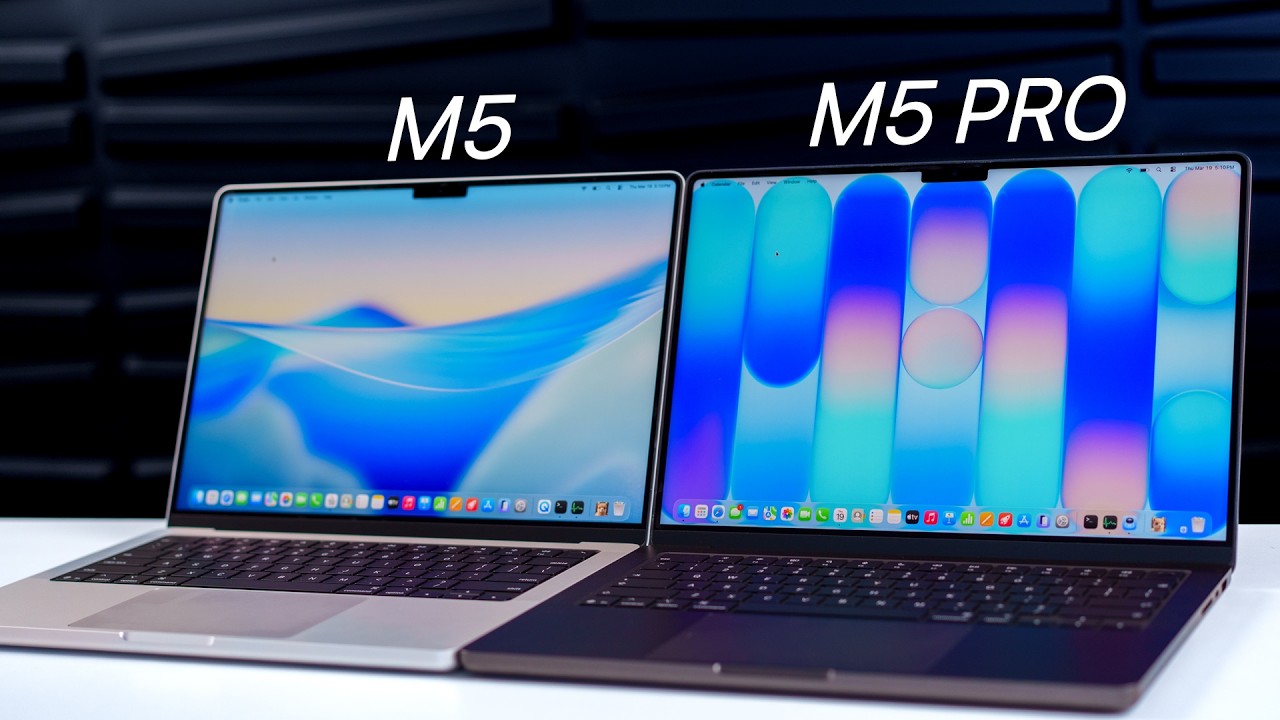
Okay, so I've been using the M5 MacBook
[00:01] (1.84s)
Pro and the M5 Pro MacBook Pro for about
[00:04] (4.28s)
a week now and I think most people are
[00:06] (6.00s)
still missing the point of these
[00:07] (7.64s)
machines. So in this video, I want to
[00:09] (9.60s)
help you determine whether the M5 or M5
[00:12] (12.28s)
Pro is right for you. So we're going to
[00:14] (14.32s)
discuss the differences I've noticed in
[00:16] (16.12s)
video and photo editing, web browsing,
[00:18] (18.72s)
transferring large files, battery life,
[00:21] (21.00s)
gaming, and more. All right, so the
[00:22] (22.52s)
unboxing is exactly what you'd expect
[00:24] (24.28s)
from a MacBook, nothing new here unless
[00:26] (26.20s)
you paid an extra $150 for the nano
[00:28] (28.56s)
texture display because in that case,
[00:30] (30.52s)
you will receive a polishing cloth to
[00:32] (32.64s)
keep the screen clean. But if you don't
[00:34] (34.64s)
get the nano texture display, the base
[00:36] (36.40s)
price for the M5 MacBook Pro is $1699,
[00:39] (39.52s)
the M5 Pro MacBook Pro is $2199. So
[00:42] (42.80s)
there's a $500 difference between the
[00:45] (45.00s)
two. Last year with the M4 and M4 Pro,
[00:47] (47.72s)
it was only a $400 gap. So there's even
[00:49] (49.92s)
a larger gap in price this year than
[00:52] (52.00s)
last year. So we're going to see if that
[00:54] (54.32s)
price gap is actually warranted. Now
[00:56] (56.24s)
before we get into the testing, let's
[00:57] (57.52s)
take a look at the design and the specs
[00:59] (59.56s)
because I do have both the space gray
[01:01] (61.40s)
and the silver color, which those are
[01:02] (62.96s)
the only two colors offered. Now both of
[01:05] (65.56s)
these do have three USB-C ports, but the
[01:08] (68.04s)
M5 Pro has Thunderbolt 5 ports, whereas
[01:11] (71.32s)
the regular M5, the base M5, has
[01:13] (73.48s)
Thunderbolt 4. And just for comparison,
[01:15] (75.32s)
Thunderbolt 4 is going to give you a
[01:16] (76.72s)
data transfer rate of up to 40 gigs a
[01:18] (78.68s)
second, whereas Thunderbolt 5 is going
[01:20] (80.68s)
to double that to 80 gigs a second and
[01:23] (83.68s)
it can dynamically allocate up to 120
[01:26] (86.48s)
gigs a second for video bandwidth when
[01:29] (89.28s)
needed. Now I still don't have any
[01:31] (91.48s)
Thunderbolt 5 SSDs or docks just yet
[01:33] (93.60s)
since Thunderbolt 4 is super fast as it
[01:35] (95.92s)
is, but this could still be important if
[01:38] (98.36s)
you want the fastest data transfer
[01:39] (99.84s)
speeds possible. Now here's something
[01:41] (101.44s)
very important that you need to know
[01:42] (102.76s)
about the M5 versus the M5 Pro and that
[01:44] (104.68s)
has to do with the external display
[01:46] (106.28s)
support. So if you hook your MacBook up
[01:47] (107.96s)
to an external display like maybe a
[01:49] (109.44s)
studio display or a studio display XDR,
[01:51] (111.96s)
which just came out, keep in mind that
[01:53] (113.80s)
with the M5, the base M5, you can only
[01:56] (116.36s)
have two external displays up to 6K 60
[01:59] (119.64s)
Hz or 4K 144 Hz. Or you can have one
[02:03] (123.48s)
display up to 8K 60, 5K 120, or 4K 240.
[02:08] (128.16s)
But with the M5 Pro, you can have a
[02:09] (129.76s)
triple display setup because you can
[02:11] (131.48s)
have three external displays at the same
[02:13] (133.64s)
6K 60 Hz or 4K 144 Hz. And you can also
[02:17] (137.76s)
have a higher resolution dual monitor
[02:20] (140.04s)
setup as well with the M5 Pro because
[02:22] (142.04s)
you can have one display up to 8K 60, 5K
[02:25] (145.32s)
120, or 4K 240 plus a second display up
[02:29] (149.16s)
to 5K 120 or 4K 200. So you can have a
[02:33] (153.16s)
dual studio display XDR setup with the
[02:36] (156.20s)
M5 Pro if you want to. Now when you open
[02:38] (158.52s)
these MacBook Pros up, you'll notice
[02:40] (160.00s)
that the keyboard is the same on both of
[02:42] (162.08s)
these. The display is also the same, so
[02:44] (164.04s)
we have that same 14.2-in mini LED
[02:46] (166.52s)
ProMotion display with that 120 Hz
[02:49] (169.24s)
refresh rate. We have 1000 nits of peak
[02:51] (171.56s)
SDR brightness, 1600 in HDR, and this is
[02:55] (175.16s)
actually a noteworthy upgrade if you're
[02:56] (176.76s)
coming from a pre-M4 MacBook Pro because
[03:00] (180.36s)
the SDR brightness before that was just
[03:02] (182.16s)
600 nits. And plus we also just got nano
[03:04] (184.72s)
texture for the first time on the M4
[03:06] (186.84s)
MacBook Pro. So keep that in mind and I
[03:09] (189.36s)
personally think that the nano texture
[03:11] (191.76s)
is so worth the extra $150 if you are in
[03:15] (195.16s)
a bright environment often. So if you
[03:17] (197.00s)
don't use this, you know, hooked up to
[03:18] (198.72s)
an external display all the time, if you
[03:20] (200.20s)
actually take it with you on the go and
[03:21] (201.76s)
you're in an airport lounge, if you work
[03:23] (203.60s)
outside, if you work at a cafe, it is
[03:25] (205.64s)
definitely worth it because you won't
[03:26] (206.92s)
have near as many reflections on the
[03:28] (208.36s)
screen and you won't see all that glare
[03:30] (210.96s)
on your screen. It's actually a big
[03:32] (212.24s)
difference and if I'm having a MacBook
[03:34] (214.08s)
Pro as my main device that I travel
[03:35] (215.88s)
with, I am definitely going with the
[03:37] (217.76s)
nano texture option. The only problem is
[03:39] (219.80s)
that it's super hard to clean even with
[03:41] (221.80s)
the polishing cloth. Now let's talk
[03:43] (223.24s)
about the specs here because there's
[03:44] (224.68s)
some interesting changes with the M5
[03:46] (226.80s)
series. So the M5 MacBook Pro has a
[03:49] (229.52s)
10-core CPU and a 10-core GPU, whereas
[03:52] (232.68s)
the M5 Pro has a 15-core CPU and a
[03:55] (235.84s)
16-core GPU or you can pay an extra $200
[03:59] (239.96s)
to get an 18-core CPU and a 20-core GPU.
[04:03] (243.24s)
Now here's where it gets interesting. So
[04:04] (244.60s)
the new base model M5 has 16 gigs of RAM
[04:07] (247.80s)
and 1 terabyte of storage. So this is
[04:10] (250.60s)
the new base M5 with that 1 terabyte of
[04:14] (254.32s)
storage. Now you could also go up to 32
[04:16] (256.36s)
gigs of RAM and also 4 terabytes of
[04:18] (258.68s)
storage, which is up from the maximum of
[04:21] (261.00s)
2 terabytes on the M4 MacBook Pro. That
[04:23] (263.80s)
was previously the 4 terabytes was
[04:25] (265.56s)
previously limited to the Pro chips
[04:27] (267.40s)
only. So that's a nice enhancement there
[04:29] (269.44s)
for the base M5. And for the M5 Pro, we
[04:32] (272.32s)
have 24 gigs of RAM and 1 terabyte of
[04:34] (274.68s)
storage as the base model. You can go up
[04:37] (277.00s)
to 48 gigs of RAM and the same 4
[04:39] (279.44s)
terabytes of storage maximum. So when
[04:41] (281.80s)
you account for the extra RAM in the M5
[04:43] (283.68s)
Pro, you're now paying $300 more for the
[04:46] (286.64s)
upgraded chip and those extra CPU and
[04:49] (289.12s)
GPU cores, which last year, there was
[04:51] (291.20s)
only a $200 gap when you lined up the
[04:53] (293.68s)
RAM and the storage. However, I have to
[04:55] (295.84s)
say that the increased RAM is not the
[04:57] (297.84s)
same as if you were to upgrade the M5 to
[05:00] (300.20s)
24 gigs of RAM because the M5 Pro has a
[05:03] (303.36s)
higher memory bandwidth than the M5. So
[05:06] (306.48s)
the M5 gets you 153 gigs a second,
[05:08] (308.96s)
whereas the M5 Pro gets you 307 gigs a
[05:12] (312.28s)
second. So that's nearly double. So the
[05:14] (314.32s)
M5 Pro is definitely going to handle
[05:15] (315.96s)
those more intensive tasks and data
[05:17] (317.76s)
flows better. So, you know, 4K, 8K video
[05:20] (320.88s)
editing, photo editing, gaming, things
[05:22] (322.64s)
like that, it's going to run more
[05:24] (324.00s)
efficiently and be faster on the M5 Pro.
[05:27] (327.16s)
Speaking of RAM and storage, when you
[05:28] (328.96s)
eventually get close to filling up that
[05:30] (330.68s)
1 terabyte SSD, you're going to need
[05:32] (332.84s)
today's sponsor, CleanMyMac, to help you
[05:34] (334.92s)
eliminate junk files and hidden files to
[05:37] (337.40s)
regain that storage back. It even lets
[05:39] (339.64s)
you visualize your storage using Space
[05:41] (341.72s)
Lens, which is super handy for visual
[05:43] (343.64s)
people like me. But anyways, CleanMyMac
[05:45] (345.72s)
spots and removes those unnecessary
[05:47] (347.32s)
files that clog up space on your Mac
[05:49] (349.64s)
including duplicate files, system cache,
[05:52] (352.36s)
and other junk that you likely didn't
[05:54] (354.08s)
even know was eating away at your
[05:55] (355.92s)
storage. I always just run this smart
[05:57] (357.92s)
care scan to get an overview of what's
[05:59] (359.64s)
taking up space and it just takes one
[06:01] (361.44s)
click to remove those files. And on that
[06:03] (363.72s)
left panel, we also have clean up,
[06:05] (365.84s)
protection, performance, applications,
[06:08] (368.56s)
and my clutter, which are all very
[06:10] (370.36s)
handy. But we also have cloud clean up
[06:13] (373.52s)
for cleaning up your cloud storage with
[06:15] (375.60s)
iCloud, Google Drive, and OneDrive. And
[06:18] (378.44s)
this works the same as CleanMyMac does
[06:20] (380.08s)
on your SSD, but it just happens with
[06:21] (381.96s)
your cloud storage and all of the
[06:23] (383.92s)
scanning that CleanMyMac does happens
[06:26] (386.16s)
locally on device. Your data stays
[06:28] (388.52s)
secure. And one of my favorite parts
[06:30] (390.24s)
about CleanMyMac is the menu bar
[06:32] (392.16s)
interface. So if you just click on the
[06:33] (393.52s)
little menu bar icon, you get quick
[06:35] (395.48s)
access to your available storage, your
[06:37] (397.52s)
CPU and RAM pressure and temperatures,
[06:40] (400.12s)
your Wi-Fi speeds, and much more. So
[06:42] (402.28s)
yeah, CleanMyMac makes my life easier
[06:44] (404.12s)
and saves me a ton of time and storage
[06:46] (406.24s)
space on my M5 MacBook Pros. So if you
[06:48] (408.88s)
want to try CleanMyMac free for 7 days,
[06:51] (411.48s)
click my link in the description below
[06:53] (413.32s)
and if you do, use my code Brandon20 to
[06:56] (416.12s)
get 20% off. Now keep in mind, [snorts]
[06:58] (418.16s)
I do have the 14-in models here, but you
[07:00] (420.68s)
can also upgrade the M5 Pro MacBook Pro
[07:03] (423.96s)
to 16 in for an extra $500.
[07:07] (427.36s)
And that extra 500 bucks is going to get
[07:09] (429.00s)
you three additional CPU cores, four
[07:11] (431.36s)
additional GPU cores, and a 140 W power
[07:14] (434.68s)
block. However, you can get those same
[07:16] (436.40s)
three CPU cores and four GPU cores on
[07:18] (438.84s)
the 14-in model for an extra $200 if you
[07:22] (442.12s)
want that power without upgrading to the
[07:24] (444.36s)
16-in model, which is heavier and
[07:26] (446.44s)
obviously, you know, a much bigger
[07:27] (447.72s)
screen and it's not as portable. Now as
[07:29] (449.76s)
far as battery life goes, the M5 is
[07:31] (451.32s)
going to get you 16 hours of web
[07:32] (452.68s)
browsing, 24 hours of video streaming,
[07:35] (455.00s)
and the M5 Pro is going to get you 14
[07:37] (457.12s)
hours of web browsing and 22 hours of
[07:39] (459.16s)
video streaming. So base M5 should be
[07:41] (461.36s)
better for battery life and throughout
[07:43] (463.00s)
all my testing, I do have both of these
[07:45] (465.16s)
running on battery for the same amount
[07:46] (466.76s)
of time. So stick around after the
[07:48] (468.56s)
benchmarks to see how these compared in
[07:50] (470.88s)
real life. Okay, so let's get into those
[07:52] (472.88s)
benchmarks and then do some real world
[07:54] (474.48s)
testing like video editing, file
[07:56] (476.16s)
transfers, things like that. So we're
[07:57] (477.56s)
going to start with a very simple
[07:59] (479.36s)
Blackmagic Disk Speed Test here. So keep
[08:02] (482.28s)
in mind, the space black is the M5 Pro,
[08:04] (484.76s)
the silver is the regular M5. And take a
[08:07] (487.28s)
look at the score. So the M5 scored a
[08:09] (489.40s)
6480 on the right, whereas the M5 Pro
[08:12] (492.36s)
scored an 11,358
[08:14] (494.68s)
on the right. And on the read, we scored
[08:16] (496.76s)
a 6757 on the M5 versus a 12,507
[08:20] (500.92s)
on the read. So nearly double for both
[08:23] (503.32s)
the read and the write speeds on the M5
[08:25] (505.96s)
Pro. That's very impressive and that
[08:27] (507.76s)
will absolutely make a difference in
[08:29] (509.24s)
day-to-day usage. All right, so now
[08:30] (510.76s)
we're going to run a Geekbench 6 test on
[08:32] (512.48s)
both of these and keep in mind, we are
[08:34] (514.08s)
running on battery on both machines. So
[08:36] (516.40s)
we do have the M5 Pro running in
[08:38] (518.48s)
automatic for the energy mode, so it
[08:40] (520.16s)
will switch to high power when it needs
[08:41] (521.56s)
it and we're at 97% on both. So we're
[08:43] (523.84s)
going to see at the end of these tests
[08:45] (525.36s)
which one has the highest battery
[08:46] (526.92s)
percentage and if it's actually as big
[08:48] (528.60s)
of a difference as you would think.
[08:50] (530.04s)
Okay, so we are currently running the
[08:51] (531.72s)
multi-thread CPU benchmark in Cinebench
[08:54] (534.64s)
right now and the fans are picking up a
[08:57] (537.12s)
lot on the M5 Pro MacBook Pro. Now keep
[09:00] (540.16s)
in mind, the M5 Pro has two cooling fans
[09:02] (542.88s)
inside, whereas the base M5 only has one
[09:05] (545.68s)
cooling fan inside. So we know there's
[09:07] (547.76s)
going to be more noise that comes from
[09:09] (549.60s)
the M5 Pro, but man, it is very loud.
[09:12] (552.36s)
The fan noise on the M5 Pro is extremely
[09:14] (554.28s)
loud. Now I am currently running in high
[09:16] (556.60s)
power mode, so that is going to, you
[09:18] (558.20s)
know, maximize the performance and spin
[09:20] (560.16s)
up those fans a lot more frequently, but
[09:22] (562.28s)
it's a big difference in the overall fan
[09:24] (564.76s)
noise that you get from M5 versus M5
[09:40] (580.72s)
Okay, you're probably going to be able
[09:41] (581.76s)
to hear the fans on the M5 Pro kicking
[09:44] (584.04s)
in the background, but before we get to
[09:45] (585.68s)
the Cinebench scores, let's show you the
[09:47] (587.08s)
Geekbench scores that we got here on
[09:48] (588.96s)
both machines. So I did run a Geekbench
[09:51] (591.28s)
6 CPU test and take a look at the score.
[09:53] (593.72s)
So 4270 on the M5 versus 4277. Then we
[09:57] (597.72s)
had a 17716 on multi-core versus 24930
[10:01] (601.76s)
on multi-core for M5 Pro. So, that
[10:03] (603.88s)
single score is actually pretty close on
[10:05] (605.52s)
both of them. You're really going to see
[10:06] (606.56s)
the benefits with the multi-core there.
[10:09] (609.32s)
Now, you'll see a big difference in the
[10:11] (611.12s)
GPU test because we scored a 48562 on
[10:14] (614.72s)
the M5 and a 76978
[10:17] (617.96s)
on M5 Pro. So, again, a massive
[10:20] (620.24s)
difference in GPU performance. We also
[10:22] (622.80s)
ran a Geekbench AI CPU test scored a
[10:25] (625.56s)
6893 quantized score versus 6997. So,
[10:29] (629.12s)
again, CPU is pretty close on all these
[10:31] (631.76s)
scores, but with GPU, take a look at the
[10:33] (633.44s)
difference here. The quantized score was
[10:37] (637.16s)
on M5, 31896
[10:39] (639.72s)
on M5 Pro for AI-related tasks. Now,
[10:43] (643.52s)
we're going to run a better real-world
[10:45] (645.12s)
test for AI here in a little bit, but
[10:47] (647.32s)
those are just the benchmarks there.
[10:49] (649.44s)
Now, we did also run a Cinebench test
[10:51] (651.40s)
and take a look at these scores. So, for
[10:52] (652.92s)
the GPU on the M5, we scored
[10:56] (656.84s)
On the M5 Pro, a 39896.
[11:00] (660.00s)
Massive difference there. And then for
[11:01] (661.76s)
the multi-threaded CPU benchmark, we
[11:03] (663.92s)
scored a 4430 on M5, 7088 on M5 Pro. So,
[11:09] (669.60s)
again, a pretty big difference there on
[11:11] (671.96s)
Cinebench. Okay, so we just ran a
[11:13] (673.56s)
Speedometer 3.1 test and take a look at
[11:15] (675.76s)
this. The M5 actually beat the M5 Pro at
[11:18] (678.80s)
58.8 versus 57.0.
[11:21] (681.76s)
So, that's pretty impressive, but not
[11:23] (683.88s)
too surprising because we saw that the
[11:26] (686.00s)
single-core score throughout has been
[11:27] (687.88s)
very similar between these two. So, with
[11:30] (690.32s)
web browsing, you're probably not going
[11:31] (691.48s)
to see really any difference at all
[11:33] (693.24s)
between these two. However, you might
[11:34] (694.80s)
see a difference with Wi-Fi speeds and
[11:37] (697.12s)
Wi-Fi connectivity because the M5 Pro
[11:39] (699.44s)
has Apple's in-one wireless chip, which
[11:41] (701.96s)
the M5 does not have. So, you're going
[11:43] (703.80s)
to have Wi-Fi 7 and Bluetooth 6 on the
[11:46] (706.48s)
M5 Pro and you're going to have Wi-Fi 6E
[11:48] (708.68s)
and Bluetooth 5.3 on M5. So, Wi-Fi
[11:52] (712.88s)
speeds, especially if you have a Wi-Fi 7
[11:54] (714.52s)
router, will be better on the M5 Pro.
[11:57] (717.12s)
And also, Bluetooth 6 is a big deal as
[11:59] (719.36s)
well because you have those improvements
[12:00] (720.76s)
as well when you're using, you know,
[12:02] (722.40s)
Bluetooth devices. And by the way, I've
[12:04] (724.20s)
been monitoring the swap that's being
[12:06] (726.08s)
used on both these machines and both of
[12:07] (727.96s)
them are sitting pretty even with swap.
[12:10] (730.12s)
No matter what I'm doing, all the
[12:11] (731.72s)
benchmarks, they're both sitting even
[12:13] (733.56s)
around the swap. So, I think it peaked
[12:15] (735.48s)
at around 3.3 or 3.4 GB of swap used.
[12:20] (740.20s)
Right now, we're kind of idle and we're
[12:21] (741.92s)
still at about a gig used on both. And
[12:24] (744.72s)
just an update on the battery life
[12:26] (746.08s)
before we go into the real-world tests.
[12:27] (747.84s)
We're sitting at 60% on the M5 Pro, 75%
[12:31] (751.72s)
on the M5. And keep in mind, we started
[12:34] (754.12s)
this test at 97%. Okay, so now we're
[12:36] (756.44s)
going to have some fun because we're
[12:37] (757.64s)
going to do some real-world testing. And
[12:39] (759.48s)
we're going to start with file transfer
[12:41] (761.36s)
speeds because again, the transfer
[12:43] (763.16s)
speeds should be a good bit faster, you
[12:45] (765.80s)
know, on the M5 Pro. So, we're going to
[12:48] (768.12s)
transfer a 206
[12:50] (770.56s)
GB folder from our SSD, our Thunderbolt
[12:54] (774.28s)
4 SSD right here, to our downloads
[12:57] (777.24s)
folder on our Mac. So, let's go ahead
[12:59] (779.36s)
and drag this on over. Okay, so 6
[13:01] (781.44s)
minutes and 40 seconds on the M5 Pro to
[13:04] (784.36s)
transfer that 200 GB file versus 13
[13:07] (787.72s)
minutes and 8 seconds on the M5. So, M5
[13:11] (791.00s)
Pro is almost twice as fast as the M5
[13:15] (795.00s)
for transferring at large files, which
[13:16] (796.92s)
that's something you're probably going
[13:18] (798.00s)
to do on a pretty frequent basis. So,
[13:20] (800.28s)
that is a big advantage for the M5 Pro.
[13:22] (802.84s)
Okay, so now we're going to do a Final
[13:24] (804.24s)
Cut Pro video export test using a 4K 30
[13:28] (808.28s)
GB video file. So, we're going to load
[13:30] (810.40s)
this into the timeline on both of these
[13:32] (812.76s)
and we're going to export right away
[13:34] (814.44s)
without even allowing for render. So,
[13:36] (816.88s)
let's go ahead and put these in here.
[13:38] (818.08s)
We'll just throw in a transition real
[13:39] (819.48s)
quick just to spice it up a little bit,
[13:40] (820.96s)
but this large of a file doesn't really
[13:42] (822.44s)
need too much going on. So, we're just
[13:43] (823.96s)
going to throw in a cross dissolve right
[13:46] (826.60s)
here on both of these in this little
[13:48] (828.28s)
section. We're going to go to command E
[13:50] (830.32s)
to export both of these. Okay, so I'm in
[13:52] (832.44s)
the middle of the video export test
[13:54] (834.32s)
right now and take a look at this. The
[13:55] (835.88s)
M5 is actually in the lead. So, 26%
[13:59] (839.76s)
versus 25% on the M5 Pro. So, we'll see
[14:02] (842.96s)
if things change, but so far, M5
[14:05] (845.32s)
starting off very strong. We have our
[14:06] (846.76s)
little stopwatch down there in the
[14:08] (848.28s)
corner. All right, so there we go. We
[14:09] (849.80s)
just finished up on the M5 Pro at about
[14:12] (852.32s)
6 minutes and 20 seconds. Let's see what
[14:14] (854.28s)
we get on the base M5. This is a lot
[14:16] (856.88s)
closer than I was anticipating. And
[14:19] (859.08s)
let's see what we score. Okay, so there
[14:20] (860.60s)
we go. About 6:37, it looks like on the
[14:23] (863.80s)
M5. So, very crazy how close those two
[14:27] (867.32s)
were. Now, if you had a more intensive,
[14:29] (869.28s)
you know, project with a lot of things
[14:30] (870.84s)
stacked on top of each other, it might
[14:32] (872.36s)
be different, but if you're just doing a
[14:34] (874.16s)
basic, you know, video editing with a
[14:36] (876.00s)
couple of transitions, then it's
[14:37] (877.68s)
probably going to be pretty similar
[14:38] (878.76s)
between M5 and M5 Pro. Okay, so now
[14:40] (880.64s)
we're going to do an interesting test
[14:41] (881.88s)
that I've not done yet here on the
[14:43] (883.08s)
channel and that's because I think that
[14:44] (884.72s)
Apple is really focusing on AI-related
[14:47] (887.32s)
tasks and performance. So, we're testing
[14:49] (889.20s)
something out here. So, we are in the
[14:50] (890.68s)
Draw Things application and we're going
[14:52] (892.60s)
to do a text-to-image generation here
[14:55] (895.72s)
using the Z Image Turbo model. Okay, so
[14:58] (898.60s)
here is the prompt that we typed in. So,
[15:00] (900.76s)
3D fluffy llama, close-up cute and
[15:02] (902.68s)
adorable, and all of that. So, that is
[15:04] (904.80s)
what we have here. We're going to tap on
[15:06] (906.16s)
return at the same time on both and see
[15:08] (908.72s)
which one can generate that image
[15:10] (910.28s)
faster. And there we go. M5 finished up
[15:12] (912.40s)
or M5 Pro, rather, finished up at 1
[15:14] (914.24s)
minute and 1 second and we're still
[15:16] (916.08s)
waiting on the base M5 to finish up with
[15:18] (918.76s)
this image generation. So, we're going
[15:20] (920.80s)
on a minute 13, minute 14. It's
[15:23] (923.04s)
finishing up here. Almost done and this
[15:26] (926.00s)
should be it right there. Okay, so a
[15:27] (927.52s)
minute and 17. So, a 16-second
[15:30] (930.24s)
difference between the two for a task
[15:32] (932.68s)
like text-to-image generation. So,
[15:35] (935.08s)
clearly, M5 Pro is better and I'm sure
[15:37] (937.08s)
again, if I put super sophisticated
[15:39] (939.52s)
prompts in there, you would see a big
[15:41] (941.00s)
difference, but for something you'd
[15:42] (942.16s)
actually do on a daily basis, you could
[15:44] (944.12s)
see that the difference in time for
[15:46] (946.08s)
AI-related tasks is not going to be a
[15:48] (948.16s)
massive difference. Okay, so it's about
[15:50] (950.08s)
time to push these things to their
[15:51] (951.60s)
limit. So, I'm going to open up a lot of
[15:53] (953.56s)
tabs, about 50 tabs on both of these.
[15:55] (955.84s)
We're going to open up pretty much all
[15:57] (957.04s)
of the intensive tasks that we can and
[15:59] (959.04s)
see how much swap we can get on both and
[16:01] (961.48s)
if any of these lag and how much. Okay,
[16:03] (963.76s)
so we're currently in Lightroom right
[16:05] (965.36s)
now, but in the background, we have a
[16:07] (967.08s)
lot going on. So, we have over 100 tabs
[16:09] (969.48s)
opened up in our Safari, including
[16:11] (971.72s)
multiple videos, and you can see that we
[16:13] (973.96s)
just have a lot going on in here and I'm
[16:15] (975.68s)
able to change between tabs pretty well
[16:17] (977.60s)
on M5 and M5 Pro, surprisingly. So, also
[16:21] (981.00s)
in the background, we have a video being
[16:22] (982.96s)
exported right now in Final Cut Pro, a
[16:25] (985.04s)
4K video file, the same one from
[16:26] (986.92s)
earlier. And both of these are holding
[16:28] (988.80s)
up well. Like the M5 is not even, you
[16:31] (991.60s)
know, giving me any signs of a struggle
[16:33] (993.48s)
here. So, take a look at this. We do
[16:35] (995.32s)
have 10 GB of swap on the M5 versus only
[16:38] (998.96s)
2.9 on the M5 Pro. So, a significantly
[16:42] (1002.88s)
larger amount of swap being used here
[16:45] (1005.16s)
for the memory, for the RAM, but still,
[16:47] (1007.88s)
I mean, we're in yellow on memory
[16:49] (1009.32s)
pressure for M5 Pro as well. So, this is
[16:52] (1012.56s)
very impressive, honestly, for the base
[16:54] (1014.24s)
M5. I mean, the fact that it has less
[16:56] (1016.44s)
RAM as well, 16 gigs versus 24 gigs on
[16:58] (1018.96s)
the M5 Pro, but yeah, a lot of that swap
[17:01] (1021.48s)
is being used, but even if I'm in Safari
[17:03] (1023.24s)
and changing between all these different
[17:04] (1024.64s)
tabs, it's not struggling, which is
[17:07] (1027.04s)
pretty impressive to me. And by the way,
[17:08] (1028.56s)
take a look at the CPU load. So, we have
[17:10] (1030.96s)
a lot more red. The red bars are much
[17:12] (1032.88s)
higher on the M5, whereas on the M5 Pro,
[17:15] (1035.40s)
that CPU load is pretty much just
[17:17] (1037.04s)
flatlined down there at the bottom. Only
[17:19] (1039.04s)
about, you know, between 1 to 4% system
[17:22] (1042.12s)
being used right there versus 6 to 10 or
[17:24] (1044.52s)
sometimes 12% on the M5. So, still no
[17:28] (1048.48s)
beach ball on the base M5 MacBook Pro.
[17:31] (1051.96s)
That is crazy impressive with how much
[17:33] (1053.92s)
we have going on right now that I've not
[17:35] (1055.80s)
seen a beach ball one time. Okay, so now
[17:38] (1058.40s)
we're going to run an Xcode benchmark
[17:40] (1060.20s)
here and this is going to compile a
[17:41] (1061.76s)
pretty extensive project and we're going
[17:43] (1063.48s)
to see if maybe something like coding in
[17:45] (1065.88s)
Xcode will be faster on M5 versus M5
[17:48] (1068.72s)
Pro. So, we're going to run both of
[17:49] (1069.72s)
these at the same time here and see how
[17:51] (1071.44s)
long each one of them takes. We will
[17:53] (1073.24s)
need to allow access and it will go
[17:55] (1075.40s)
through the process. Okay, so here are
[17:57] (1077.72s)
the results. So, the M5 took 199 seconds
[18:01] (1081.20s)
and the M5 Pro took 131 seconds. And
[18:05] (1085.28s)
that's about a 34% increase in speed of
[18:08] (1088.88s)
compiling this Xcode project on M5 Pro
[18:11] (1091.84s)
versus M5. So, if you are a developer,
[18:14] (1094.48s)
you will see some real benefits to the
[18:16] (1096.20s)
M5 Pro here. And now that we finished up
[18:18] (1098.12s)
all of our testing, let's check in on
[18:19] (1099.84s)
the battery life here. So, we've been
[18:21] (1101.48s)
doing this for a few hours now and the
[18:23] (1103.80s)
M5 is at 34%. M5 Pro is at 9%.
[18:28] (1108.52s)
So, that is a big difference in battery
[18:30] (1110.80s)
life. So, if you're looking for the best
[18:32] (1112.28s)
battery life, period, then you would
[18:34] (1114.28s)
definitely want to go for the base M5.
[18:36] (1116.72s)
But of course, you're not going to have
[18:37] (1117.80s)
as much power. And also, keep in mind
[18:39] (1119.60s)
that we were in high power mode to get
[18:41] (1121.44s)
the maximum performance here on the M5
[18:43] (1123.72s)
Pro. So, of course, that will, you know,
[18:45] (1125.44s)
drain battery faster, but that is also
[18:47] (1127.88s)
what was necessary to run these tests to
[18:49] (1129.64s)
see what it's capable of. Okay, so after
[18:51] (1131.60s)
using these machines for the past
[18:52] (1132.92s)
several days and after running through
[18:54] (1134.28s)
all the tests that you saw in this
[18:55] (1135.80s)
video, should you buy the M5 or M5 Pro
[18:59] (1139.64s)
MacBook Pro? And I would say that once
[19:01] (1141.48s)
again, just like last year with the base
[19:03] (1143.04s)
M4, the base M5 MacBook Pro is very
[19:06] (1146.60s)
viable for pro users. Like this is not
[19:08] (1148.84s)
just a machine for web browsing and
[19:10] (1150.68s)
daily use. Like it's a legit pro machine
[19:13] (1153.12s)
even for heavy workloads. If you're
[19:14] (1154.76s)
gaming, if you're coding, you know, AI
[19:17] (1157.28s)
tasks, you like you're going to be just
[19:18] (1158.92s)
fine with the base M5, especially this
[19:21] (1161.64s)
year because it starts at 1 TB of
[19:24] (1164.84s)
storage. That's a huge plus for the base
[19:27] (1167.36s)
model. And we do also have 16 gigs of
[19:29] (1169.52s)
RAM, which might not be enough if you
[19:31] (1171.40s)
are like a really heavy pro user, but
[19:33] (1173.92s)
for most people, I would say that that
[19:35] (1175.68s)
is enough. I think if you need any more
[19:37] (1177.80s)
than 16 gigs of RAM, you're probably
[19:39] (1179.44s)
already looking at the M5 Pro anyways.
[19:42] (1182.04s)
So, it's also nice that we have the same
[19:43] (1183.84s)
ports on both, but just keep in mind
[19:45] (1185.64s)
that we do have Thunderbolt 5 on the M5
[19:47] (1187.84s)
Pro and that does make a difference.
[19:49] (1189.08s)
Like the transfer speeds, you know, were
[19:50] (1190.88s)
much faster on the M5 Pro MacBook Pro
[19:54] (1194.24s)
when I transferred over that 200 gig
[19:55] (1195.68s)
file. So, if you're copying files back
[19:57] (1197.64s)
and forth from an SSD or just from
[19:59] (1199.52s)
computer to computer, you are going to
[20:01] (1201.08s)
see faster transfer speeds, which is
[20:02] (1202.56s)
something you use on a daily basis, at
[20:04] (1204.32s)
least I do. So, that's a big advantage
[20:06] (1206.08s)
for the M5 Pro. However, as we saw, the
[20:08] (1208.28s)
M5 is going to get you better battery
[20:10] (1210.48s)
life for daily tasks like web browsing,
[20:12] (1212.52s)
watching videos, even running all these
[20:14] (1214.16s)
benchmarks, the M5 killed the M5 Pro in
[20:16] (1216.76s)
terms of battery life. It lasted a lot
[20:18] (1218.64s)
longer. However, I think that if you're
[20:20] (1220.16s)
looking at a MacBook Pro in general and
[20:22] (1222.16s)
not like a MacBook Air or MacBook Neo,
[20:24] (1224.56s)
then performance is likely your very top
[20:26] (1226.76s)
priority. So, you know, if you need more
[20:28] (1228.96s)
than the base 16 gigs of RAM that the
[20:30] (1230.96s)
the base MacBook Pro offers, I would say
[20:33] (1233.40s)
just spend the extra money and get the
[20:35] (1235.32s)
M5 Pro MacBook Pro because the extra
[20:37] (1237.92s)
benefits that you're going to get on top
[20:39] (1239.52s)
of the RAM increase, which is 24 gigs
[20:41] (1241.40s)
again, that'll be worth the cost for
[20:43] (1243.28s)
whatever demanding tasks you're planning
[20:45] (1245.20s)
on throwing at it. Because let's not
[20:46] (1246.76s)
forget, pretty much everything was a
[20:48] (1248.44s)
good bit faster on the M5 Pro MacBook
[20:50] (1250.84s)
Pro aside from video export. So, this is
[20:53] (1253.60s)
one caveat I want to make here. If you
[20:55] (1255.52s)
are a video editor, I don't think that
[20:57] (1257.40s)
you need the M5 Pro MacBook Pro. I think
[20:59] (1259.56s)
the base M5 is going to be fine for you.
[21:01] (1261.68s)
Like, I edit videos all the time and I
[21:03] (1263.68s)
would choose M5 over M5 Pro for that.
[21:06] (1266.00s)
But, that's also because I do prioritize
[21:07] (1267.68s)
battery life and I do prioritize, you
[21:09] (1269.64s)
know, getting the best bang for buck out
[21:11] (1271.20s)
of the machine. And I think that's going
[21:12] (1272.72s)
to come with the base M5. But, again,
[21:15] (1275.00s)
you are going to have those extra CPU
[21:16] (1276.52s)
and GPU cores on the M5 Pro and that is
[21:18] (1278.88s)
going to make a difference for those
[21:20] (1280.40s)
intense tasks, especially if you're
[21:21] (1281.96s)
doing more than one thing at a time.
[21:23] (1283.44s)
Like, I usually don't do a ton of things
[21:25] (1285.24s)
at once. I'm usually just doing one
[21:27] (1287.00s)
major like intensive task at a time.
[21:29] (1289.16s)
But, if you're doing multiples, M5 Pro
[21:31] (1291.52s)
for sure for that. Also, I should
[21:33] (1293.20s)
mention that if you run everything off
[21:34] (1294.56s)
of an external SSD like I do,
[21:36] (1296.64s)
Thunderbolt 5 is going to be very
[21:38] (1298.40s)
beneficial for faster transfer speeds.
[21:40] (1300.60s)
But, you know, the reality is
[21:41] (1301.80s)
Thunderbolt 4 is likely fast enough for
[21:43] (1303.60s)
anything you throw at it. Like,
[21:45] (1305.08s)
obviously the M5 Pro is much faster for
[21:46] (1306.96s)
transferring, but in day-to-day usage, I
[21:49] (1309.44s)
don't think that, you know, Thunderbolt
[21:50] (1310.76s)
4 is slow by any means. But, also we
[21:53] (1313.44s)
cannot forget that with the M5 Pro, you
[21:55] (1315.52s)
can have a triple display setup. So, if
[21:57] (1317.44s)
you have three monitors that you're
[21:59] (1319.20s)
looking to hook up, you know, your M5
[22:01] (1321.16s)
MacBook Pro to, then you can only do
[22:02] (1322.88s)
that with the M5 Pro MacBook Pro. So,
[22:04] (1324.96s)
keep that in mind. Whereas, the base
[22:06] (1326.84s)
model, you can run two external displays
[22:09] (1329.80s)
and even two studio displays if you
[22:11] (1331.72s)
would like to, but you cannot do three
[22:14] (1334.00s)
like you can with the M5 Pro. So, that's
[22:15] (1335.76s)
something else to keep in mind. Also, I
[22:17] (1337.40s)
should mention the N1 chip inside of the
[22:19] (1339.68s)
M5 Pro that gets you Wi-Fi 7 and
[22:22] (1342.04s)
Bluetooth 6. That's also a small detail,
[22:24] (1344.40s)
but it could be just enough to push
[22:25] (1345.64s)
somebody over the edge to choose this
[22:27] (1347.44s)
over the base M5. So, with all that
[22:29] (1349.60s)
being said, I think that if you can deal
[22:31] (1351.16s)
with the base configuration for the M5
[22:33] (1353.48s)
MacBook Pro, which I think this year
[22:35] (1355.04s)
it's easier than ever to deal with
[22:36] (1356.64s)
because of 16 gigs of RAM and 1
[22:37] (1357.96s)
terabyte, you know, I think that you
[22:39] (1359.76s)
should go with the base M5 because the
[22:41] (1361.48s)
chipset is more than capable enough for
[22:43] (1363.56s)
most pro workflows. So, if you can
[22:45] (1365.56s)
comfortably afford the extra $500, I do
[22:48] (1368.28s)
think it's worth it to go with the M5
[22:50] (1370.24s)
Pro MacBook Pro. However, I don't think
[22:52] (1372.04s)
that you're even going to need all the
[22:53] (1373.48s)
power that it provides. And if you think
[22:55] (1375.32s)
that you're going to need like the most
[22:56] (1376.44s)
power ever, I mean, you know, M5 Max is
[22:58] (1378.76s)
there. It's a lot more, but if you're
[23:00] (1380.28s)
somebody in that camp, you know, you're
[23:02] (1382.12s)
probably going to be looking at the M5
[23:04] (1384.16s)
Max chip. But, I think for most people,
[23:06] (1386.28s)
M5 Pro is going to be even overkill.
[23:08] (1388.44s)
Like, I think M5 is the best for most
[23:10] (1390.84s)
people. So, now what am I doing between
[23:12] (1392.84s)
these two machines for my specific
[23:14] (1394.44s)
workflow? Now, keep in mind, I do a lot
[23:16] (1396.04s)
of video editing, a lot of photo
[23:17] (1397.76s)
editing. I am in Xcode sometimes. really
[23:20] (1400.52s)
just doing a lot of creative tasks on my
[23:22] (1402.96s)
MacBook and I do need, you know, really
[23:25] (1405.12s)
fast exports for photos and for videos
[23:27] (1407.92s)
and of course for compiling projects.
[23:29] (1409.32s)
So, what am I going to be doing
[23:30] (1410.40s)
personally? Well, I'm personally going
[23:32] (1412.60s)
to be sticking with the base M5 MacBook
[23:35] (1415.40s)
Pro instead of the M5 Pro MacBook Pro.
[23:38] (1418.64s)
Like, yes, there was a big advantage in
[23:40] (1420.52s)
Xcode, but I'm not really an avid
[23:42] (1422.88s)
developer. If I'm an avid developer, I'm
[23:44] (1424.92s)
much more likely to pick the M5 Pro over
[23:47] (1427.20s)
the M5 because 34% difference is
[23:49] (1429.96s)
substantial. Like, that's a big
[23:50] (1430.80s)
difference. So, if you are a developer,
[23:52] (1432.40s)
I would say that, you know, M5 Pro might
[23:54] (1434.48s)
be actually worth the extra money. But,
[23:56] (1436.36s)
for me, since I'm mostly in photo
[23:57] (1437.88s)
editing and video editing, there was
[23:59] (1439.40s)
really not a huge difference between the
[24:00] (1440.96s)
two. And even when I had all those tabs
[24:02] (1442.56s)
open earlier, you know, this thing
[24:04] (1444.20s)
handled it just fine. Yes, there was a
[24:05] (1445.52s)
lot of swapping used at multiple
[24:07] (1447.32s)
periods, but it never gave me the beach
[24:08] (1448.84s)
ball, not one time. So, that's
[24:10] (1450.96s)
impressive and that was enough for me to
[24:12] (1452.52s)
choose the M5 over the M5 Pro and save
[24:15] (1455.96s)
my 500 bucks. So, I hope this video was
[24:17] (1457.92s)
helpful in showing you between the M5
[24:20] (1460.40s)
and M5 Pro MacBook Pro. Now, let me know
[24:22] (1462.88s)
in a comment down below, did you pick up
[24:24] (1464.68s)
one of these two machines? Did you have
[24:26] (1466.40s)
the existing M5 MacBook Pro before they
[24:28] (1468.80s)
upgraded the storage to 1 terabyte? Let
[24:30] (1470.76s)
me know all your thoughts down there.
[24:32] (1472.12s)
You know, are you feeling remorse for
[24:33] (1473.16s)
not, you know, waiting until the M5 Pro
[24:35] (1475.40s)
came out? Just let me know all your
[24:36] (1476.92s)
thoughts about these machines down in
[24:38] (1478.80s)
the comments below and what you learned
[24:40] (1480.64s)
from this video. But, anyways, guys,
[24:42] (1482.96s)
thanks for watching and I'll see you
 YouTube Deep Summary
 Extract content that makes a tangible impact on your life